STRIDE.
A native iOS strength training app for lifters who want real tracking without the bloat — preset programs, clean set logging, streak rewards, and deep stats, all in three focused tabs.
My Role
End-to-end product: program design, exercise library curation, UX/UI, native iOS development, and stats math.
Timeline
In development throughout 2026. iOS 17+ with SwiftData persistence, no third-party dependencies.
Tech Stack
The Challenge
Most strength training apps fall into two extremes. Either they're barebone set/rep loggers that give you no structure, or they're bloated with social feeds, AI coaches, and subscription paywalls that bury the simple job of logging a workout. Beginners get lost in complexity. Experienced lifters miss real data.
The Solution
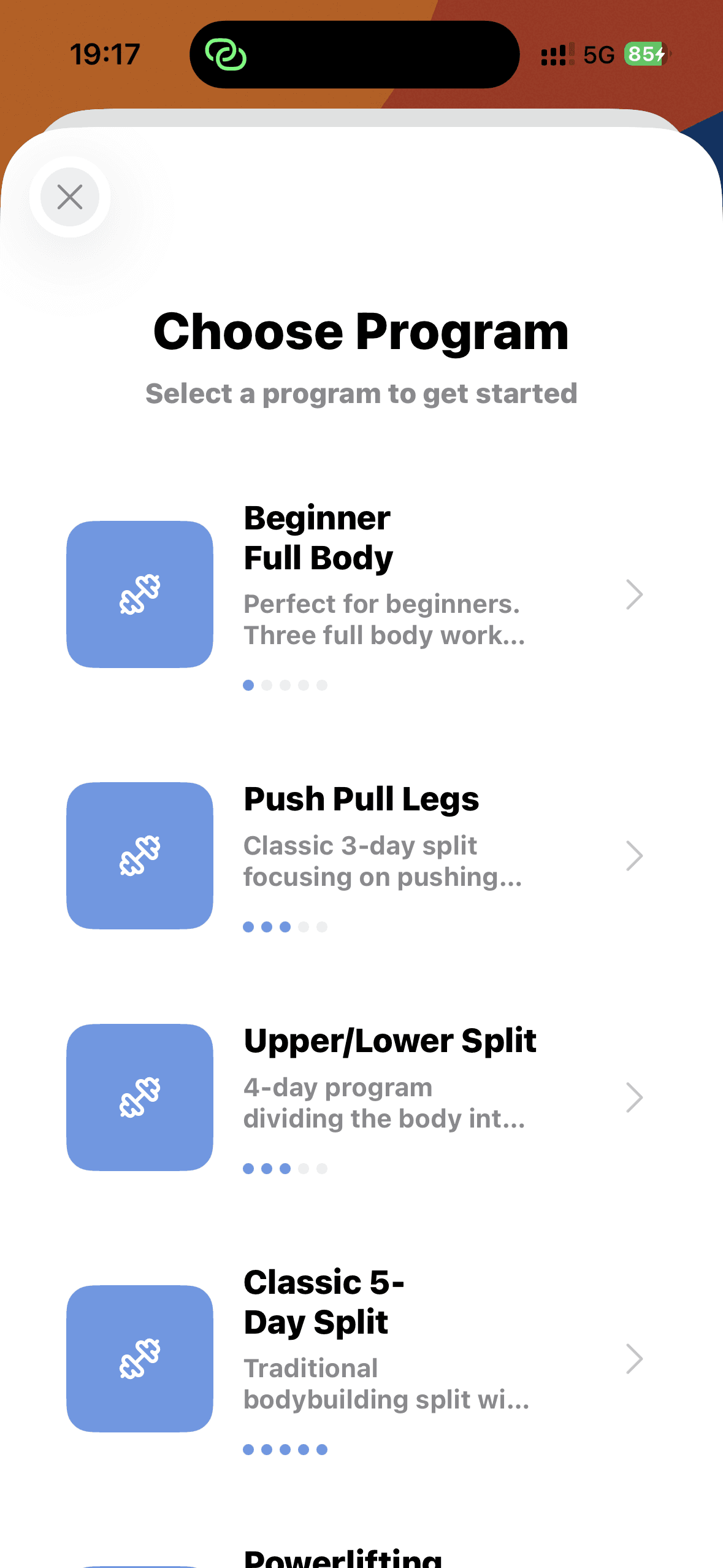
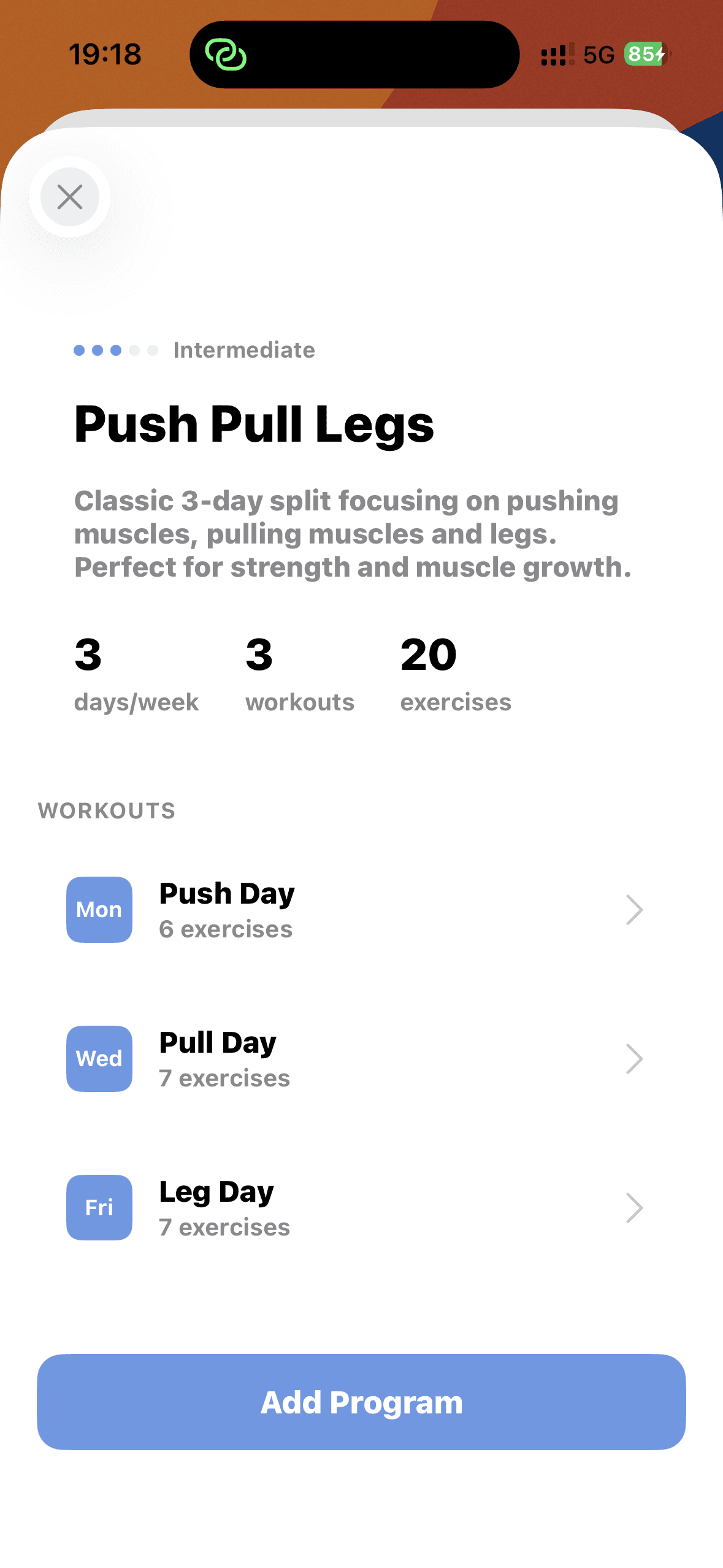
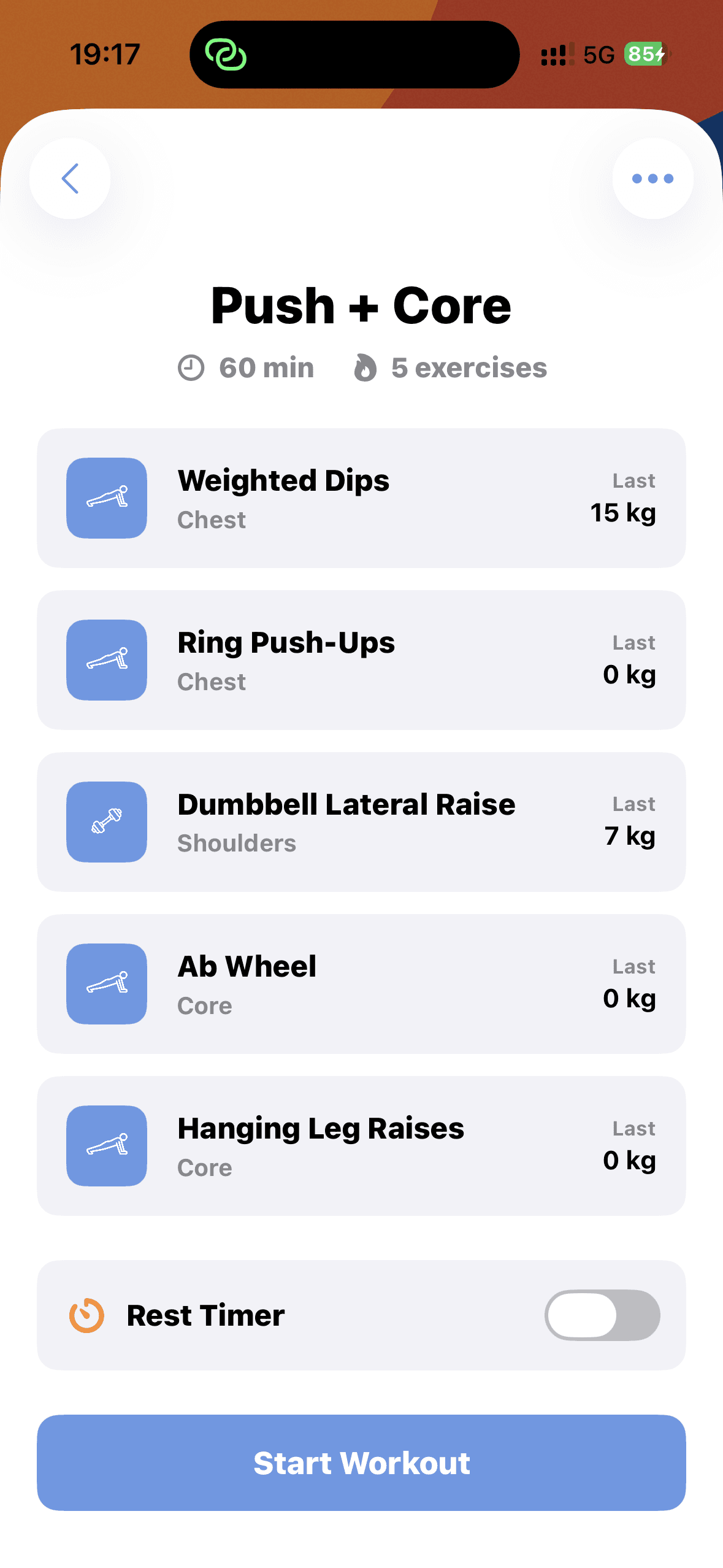
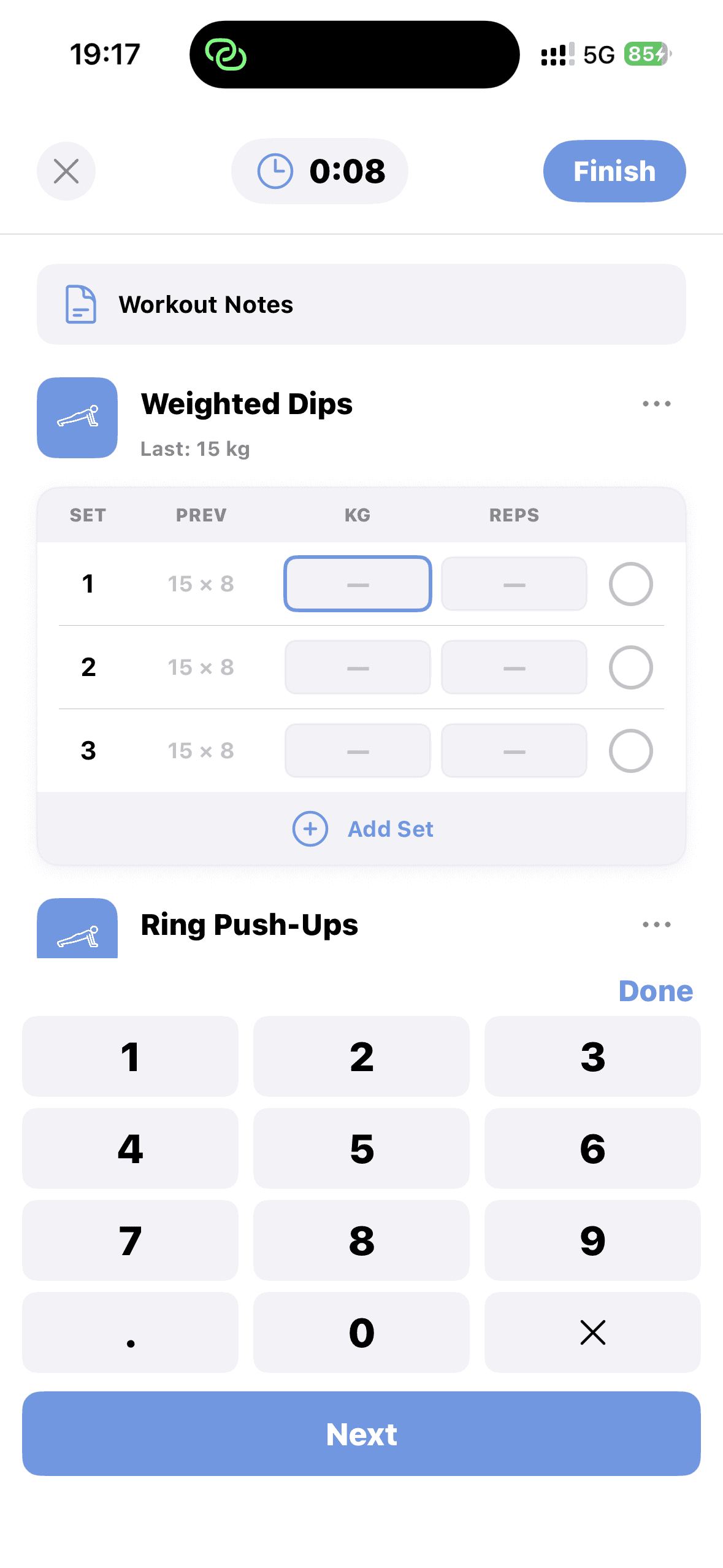
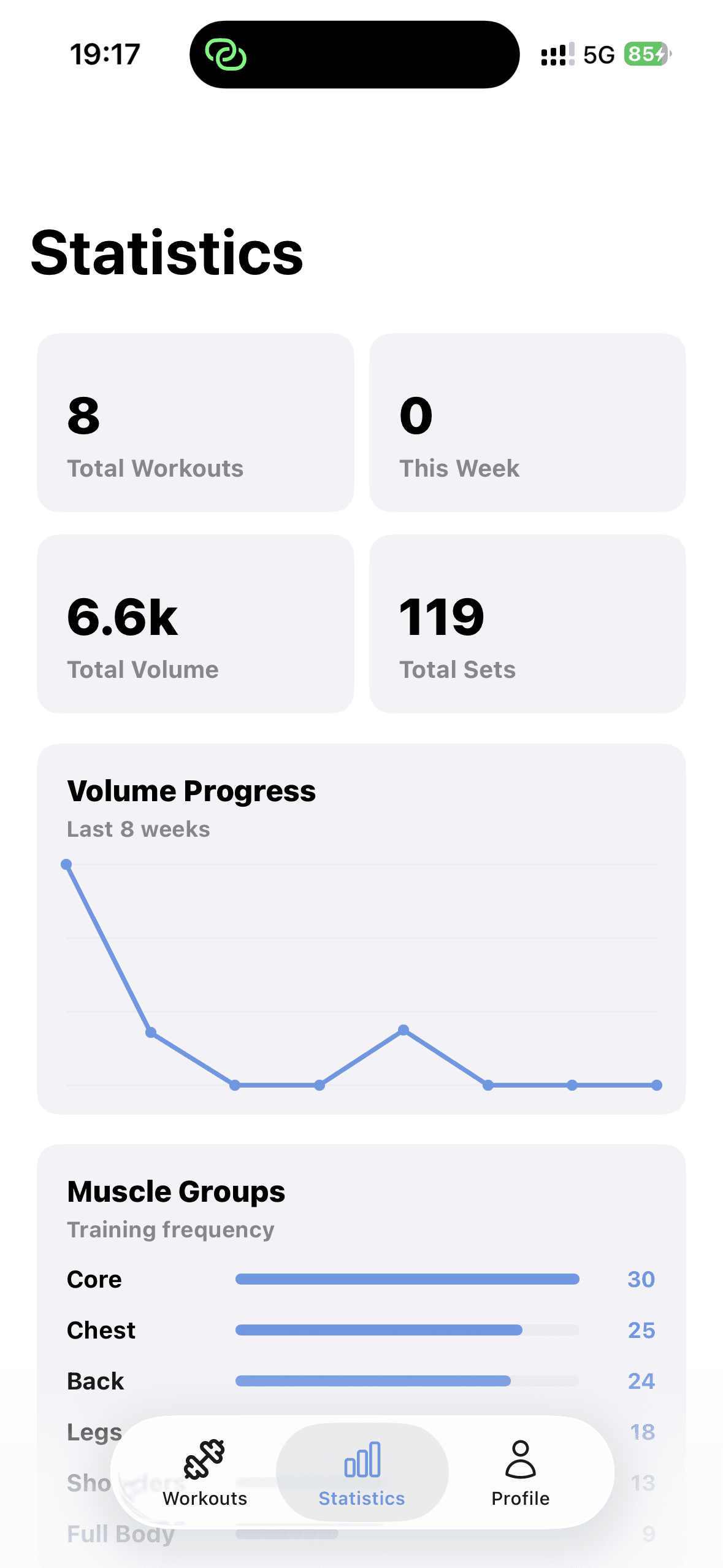
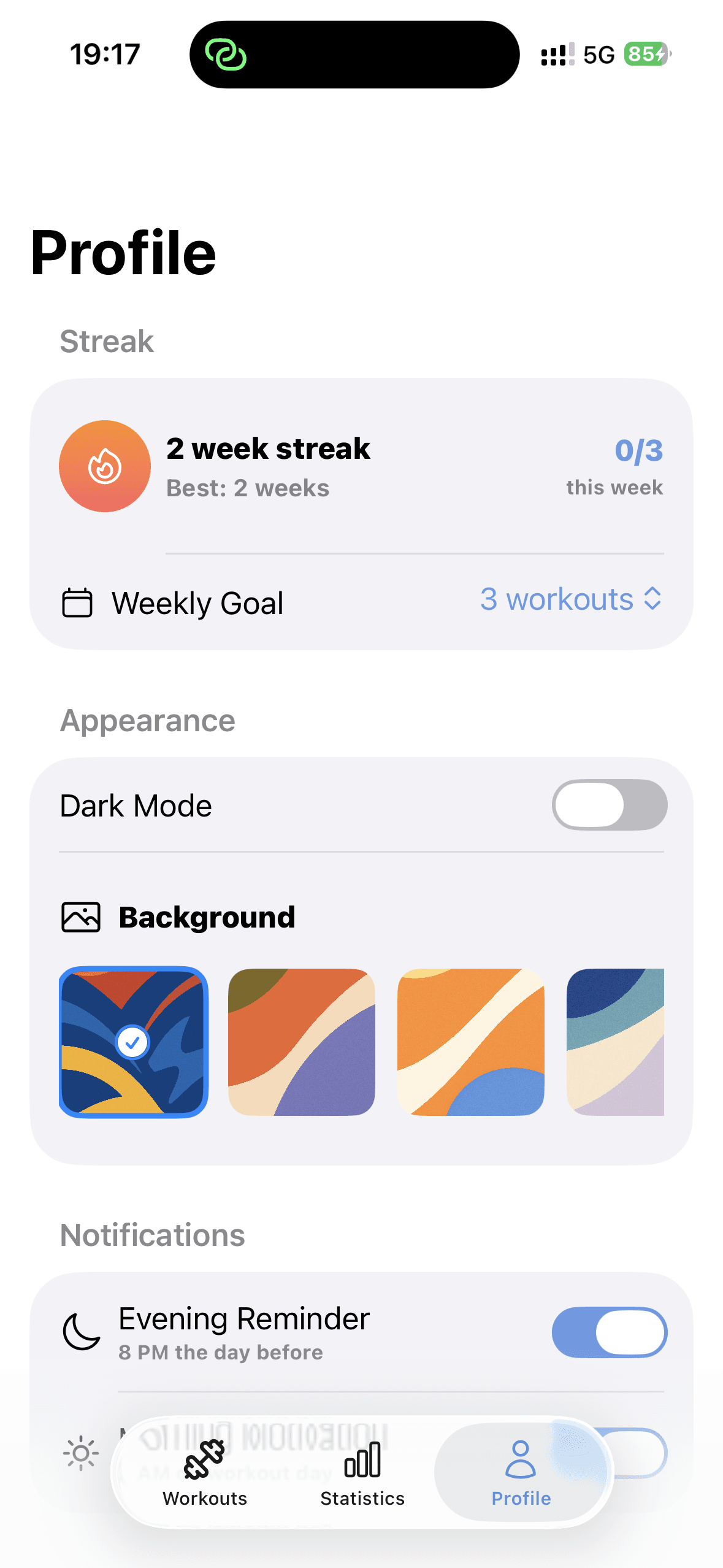
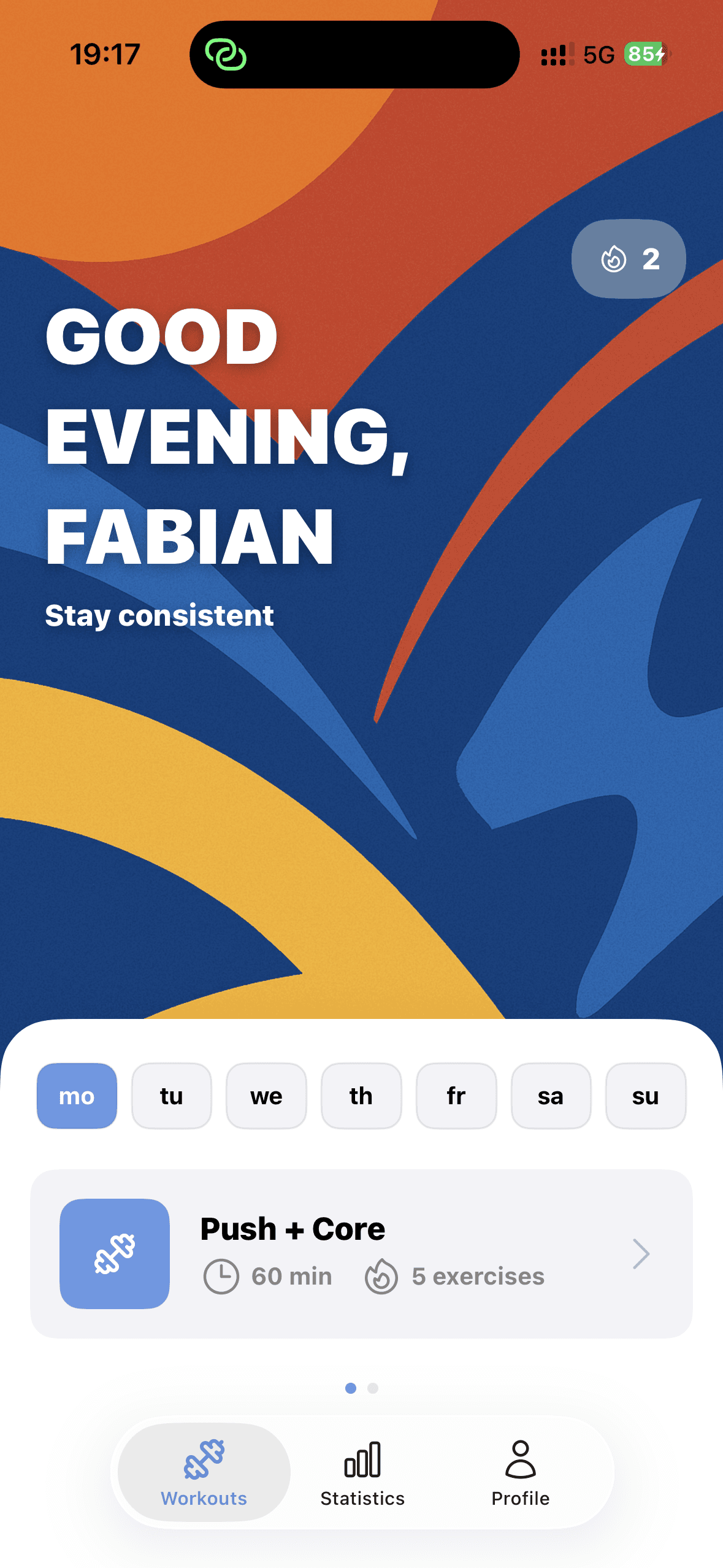
A native iOS app with three focused tabs — Workouts, Statistics, Profile. Seven preset programs cover every experience level, from Beginner Full Body to Powerlifting. The active workout screen keeps logging fast: tap a set, enter kg and reps via a custom numeric keypad, move on. Statistics calculate total volume, weekly progress, and muscle-group frequency automatically from every logged set. Streaks, weekly goals, and custom backgrounds close the loop.
How It Works
From program pick to personal record in three steps
Choose
Pick a preset program — Beginner Full Body, Push Pull Legs, Upper/Lower, Classic 5-Day, or Powerlifting. Or build your own from the 100+ exercise library.
Log
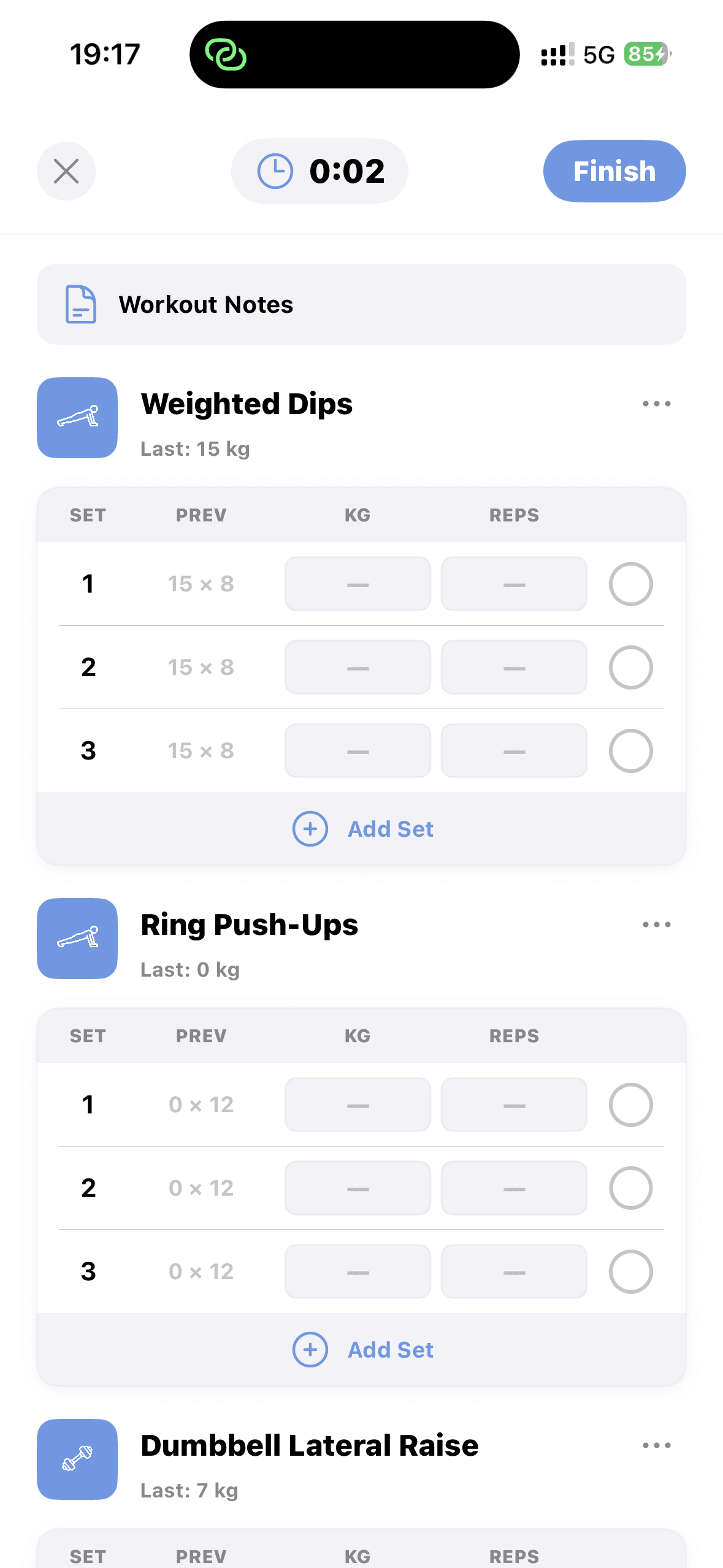
Start a workout. Tap a set, enter kg and reps with the custom numeric keypad, hit Next. Previous sets shown for reference. Optional rest timer between sets.
Track
Stats update automatically. Total volume, muscle-group frequency, and weekly progress roll up every time you finish a set. Streak grows with each session.
Built With
Native iOS, deeply integrated with Apple's platform
SwiftData
Local-first persistence for every workout, set, and rep. No account, no cloud, no telemetry.
HealthKit
Syncs completed workouts to Apple Health so volume and duration flow into the rest of your fitness data.
ActivityKit
Live Activity on the lock screen keeps the rest timer visible between sets without opening the app.
User Notifications
Optional evening reminder at 8PM the day before a scheduled workout — off by default.
TipKit
Contextual tips surface the right features at the right time without a forced onboarding flow.
SwiftUI
Entire app built with SwiftUI — animations, gesture handling, and abstract art backgrounds all native.
Key Features
Everything that matters for logging a lift, nothing that doesn't
7 preset programs — Beginner, PPL, Upper/Lower, 5-Day, Powerlifting
100+ exercise library sortable by muscle group and equipment
Fast set/rep/kg logging with previous-set reference shown inline
Custom numeric keypad designed for in-workout input
Active workout timer with optional rest timer between sets
Total volume, weekly progress, and muscle-group frequency stats
Streak tracking with weekly goal and best-streak record
Dark mode with 4 custom abstract art backgrounds
Optional evening reminder at 8PM the day before a workout
A Peek Inside
From picking a program to logging a set — every screen that matters.