CLKR.
A native macOS menubar app that makes typing fun — satisfying click sounds, ambient focus modes, and gamified typing. Level up, unlock sounds, stay in the zone. No account, no cloud, no telemetry.
My Role
End-to-end product: native macOS development with Swift & AppKit, UX/UI, sound design, game loop, and landing page — solo.
Timeline
Shipped v1.3 in 2026. Native macOS, menubar-only, 27 MB download, free forever.
Tech Stack
The Challenge
Typing is the most repetitive action on a computer, yet it feels flat. Meanwhile mechanical keyboards cost hundreds of dollars for the exact feedback people crave. And every "productivity" app ships with accounts, subscriptions, and cloud sync nobody asked for.
Small joys get lost in the tools we use every day. The feedback people pay hundreds for in hardware should be available to anyone, instantly, for free.
Capture keyboard-joy at zero cost, with zero friction, and zero data leaving the machine.
The Solution
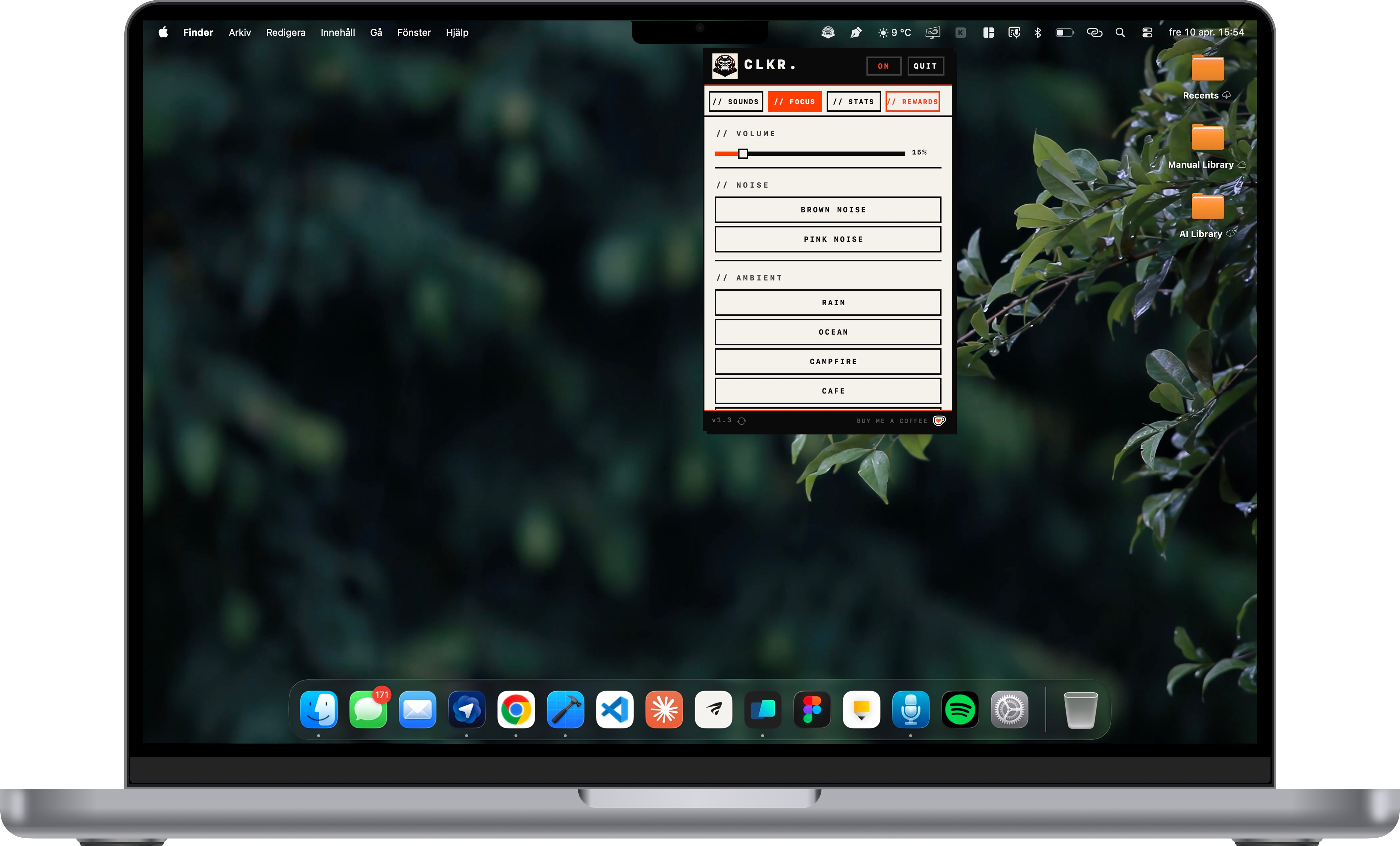
A tiny Swift + AppKit menubar app that hooks into global keystrokes, plays sampled sounds with low-latency playback, tracks stats locally, and runs a lightweight gamification loop with XP, 50 levels, 20+ achievements, and unlockable sound packs. Everything lives in a single menubar popover — no windows, no dock icon, no account.
Satisfying Sounds
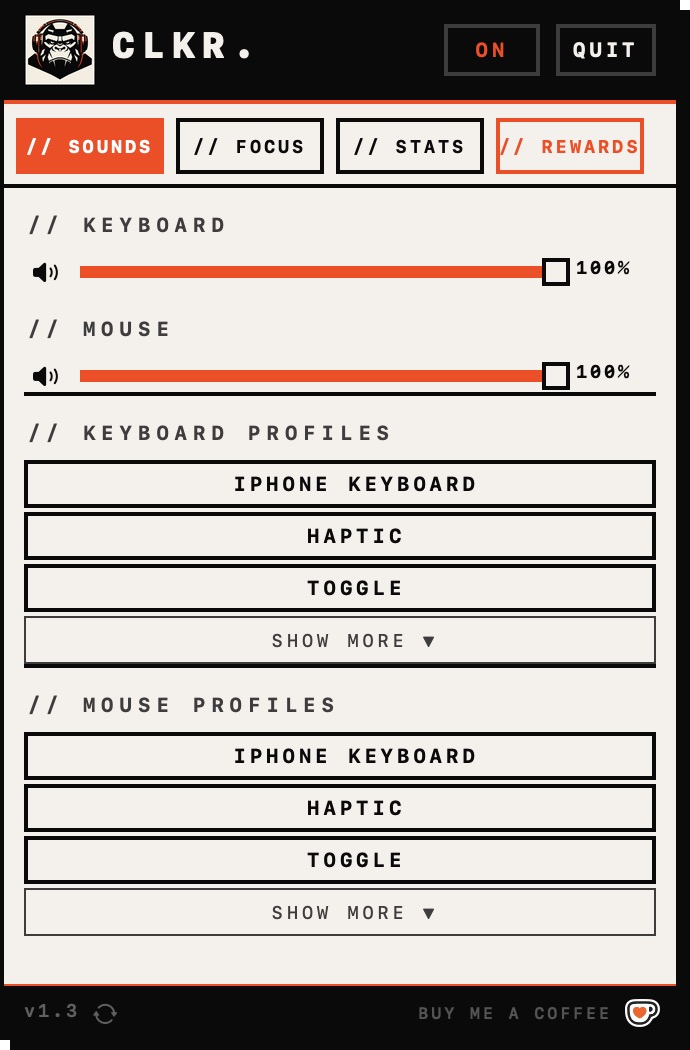
20 sampled sound profiles — iPhone, Cherry MX, creamy thocks, and mechanical deep — with near-zero latency playback.
Ambient Focus
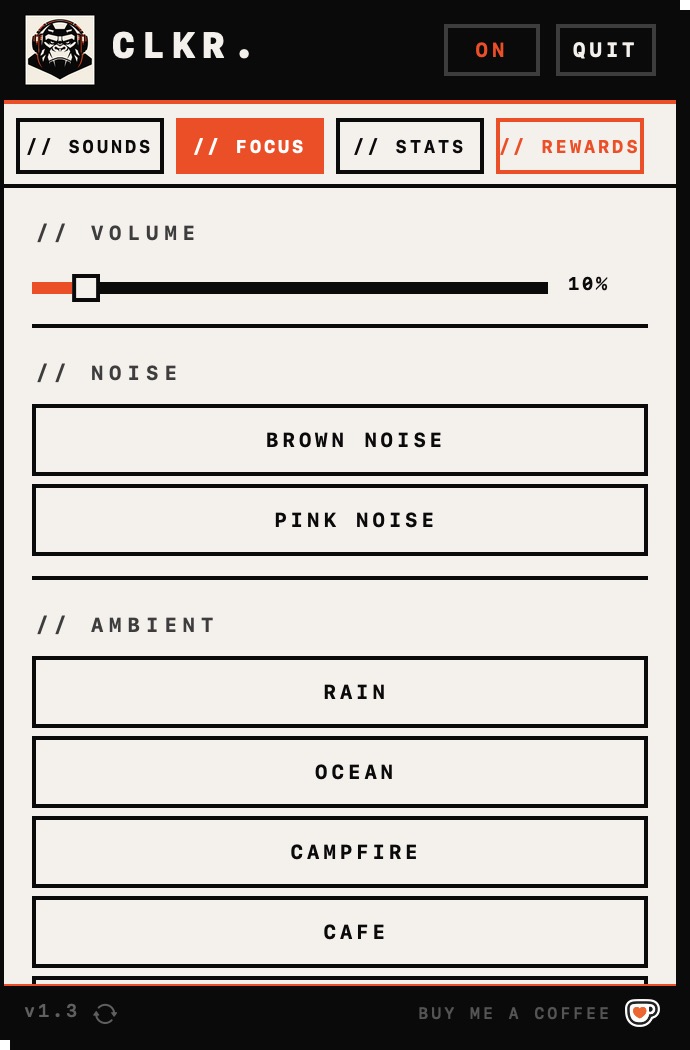
Brown and pink noise, rain, ocean, café, forest, and campfire — focus modes layered right into the menubar popover.
Gamified Typing
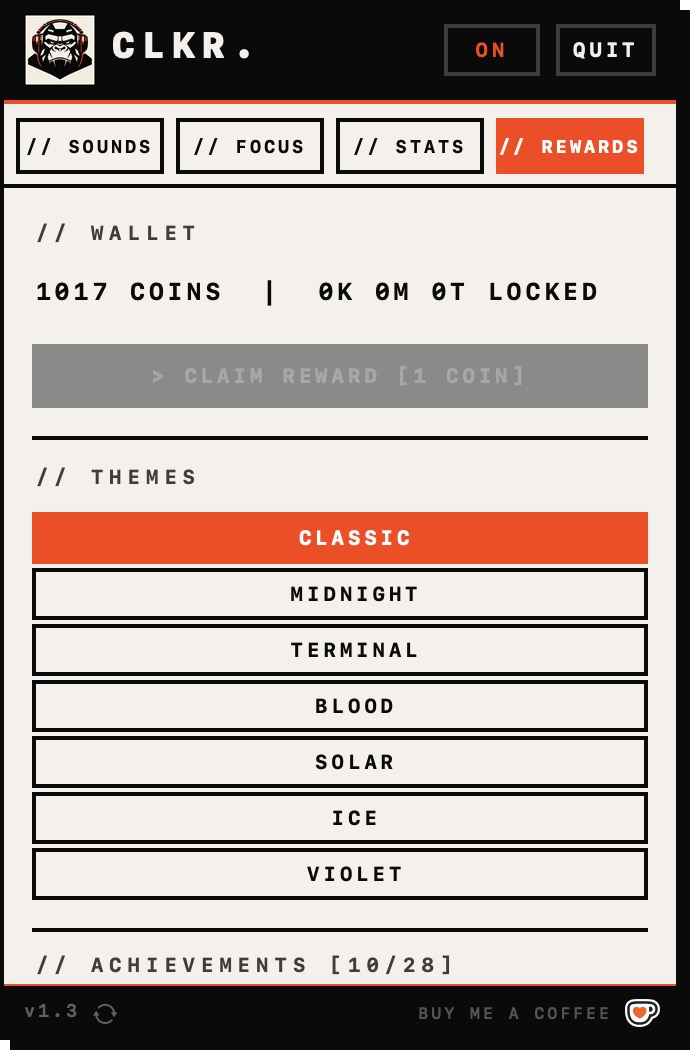
Every keystroke earns XP. 50 levels, 20+ achievements, and a coin economy that unlocks new sounds as you type.
Local Stats
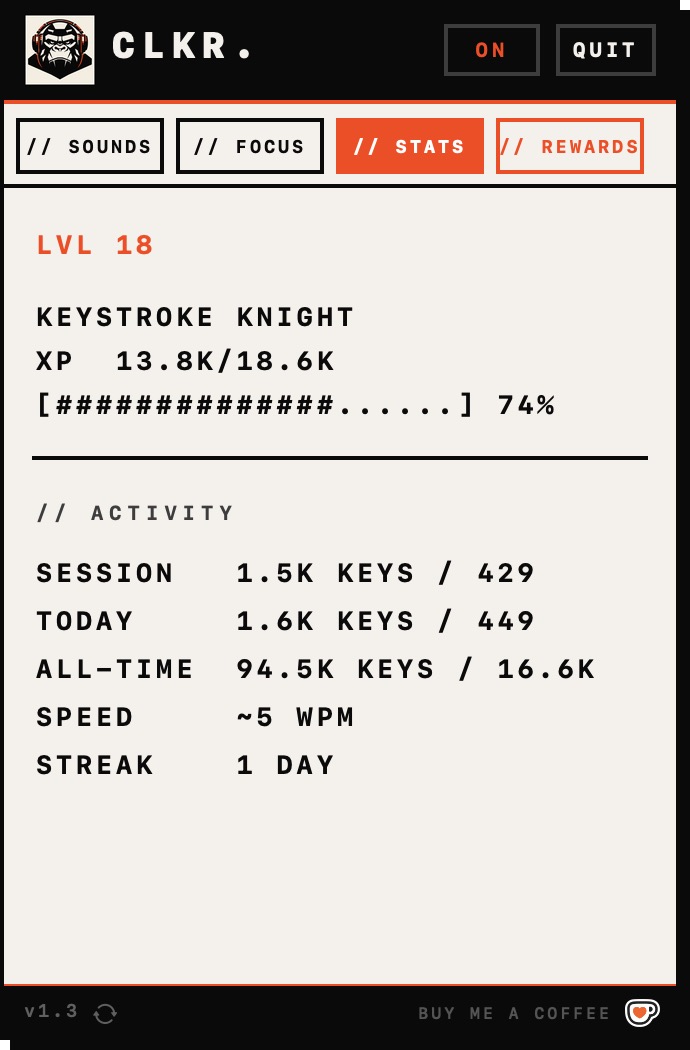
Keystroke, click, WPM, and daily streak tracking — all stored locally, never sent to a server.
House rules
CLKR is built on refusals as much as features. The quickest way to understand it is to see what it will never do — and the few things it cares about instead.
Local-only, on principle
CLKR hooks every keystroke — the most sensitive data on your machine. The only safe design is to never let it leave. No server means nothing to breach, nothing to subscribe to, nothing to trust.
Free, because it’s a joy — not a SaaS
Mechanical feel costs hundreds in hardware. The software version should cost nothing, or it misses the point. No paywall belongs on a small daily pleasure.
A game loop, on purpose
XP, 50 levels, achievements, and a coin economy turn the most repetitive action on a computer into progression. The loop is the reason you leave it running all day.
Anatomy of a keystroke
Everything hard about CLKR happens in the few milliseconds after you press a key. Here's the whole path — and the three places it almost broke.
Latency you can’t hear
The sound fires within a few ms of keydown. Buffers preloaded, nothing allocated on the hot path.
≈ 5 msListening, never storing
The global hook sees every key. CLKR keeps the count and throws the keys away.
Overlap at full speed
Type fast and sounds stack. Voices overlap cleanly instead of cutting each other off.
Screens from CLKR.
A look at the menubar popover, themes, and gamification screens.
Try it yourself
Free, 27 MB, macOS 12+. No account. No cloud. No telemetry. Just typing, but better.
Visit CLKR site